
خوش آمدید · ضلع شوپیاں Hamara Shopian · Jammu and Kashmir
Shopian: सगळं एकाच ठिकाणी
🎤 माइक दाबा आणि काय हवे ते सांगा Tap the mic and say what you need
सेवा Services
सर्व › मंगल कार्यालयHalls
 डॉक्टरDoctors
 दुरुस्तीRepairs
 जेवणFood
 शेतीFarming
 शिक्षणEducation
 दुकानेShops
 वाहतूकTransport
आज Today
आणखी ›झटपट मदत Quick help
आज · Shopian
⚠️ Report✅ अजून काही नाही.
🔔 Alerts on this phone — free, no app needed
आणखी सेवा · More Services
प्रत्येक दुकान, सेवा आणि कार्यालय — कॉल, व्हॉट्सॲप आणि नकाशासह.
 रोजच्या गरजाDaily needs
 बांधकाम, साहित्यConstruction & materials
 वाहने आणि गॅरेजVehicles & garages
 प्रॉपर्टी आणि भाडेReal estate & rentals
 लग्न आणि कार्यक्रमWeddings & events
 सौंदर्य आणि फिटनेसBeauty & fitness
 हॉटेल आणि निवासHotels & stays
 स्थानिक उत्पादनेMade in Bidar
 व्यावसायिक आणि वित्तProfessionals & finance
 नागरी सेवाCitizen services
 प्रार्थनास्थळे, समाजWorship & community
 Ask Shopian
 Your next opportunity
 नोकऱ्याJobs
Hamara Shopian · ضلع شوپیاں
Shopian कशासाठी प्रसिद्ध
The pride of Shopian, Jammu and Kashmir.
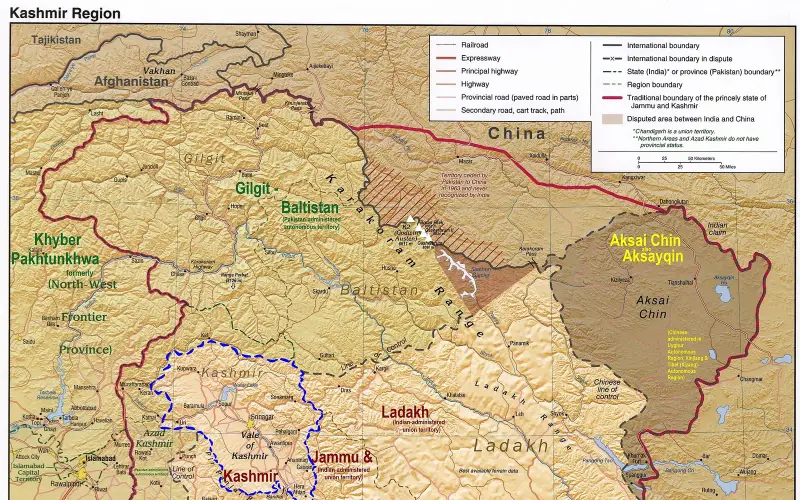
Jammu and KashmirShopianShopian district, known as Shupyan in Kashmiri, is an administrative district of Indian-administered Jammu and Kashmir in the disputed Kashmir region.
What makes Shopian special?Its food, crafts, festivals, temples, forts, farms and people. Help us tell Shopian’s story — send your photos and facts.
📷 Proud of Shopian? Send us your best photo of Shopian — the best ones are featured here, with your name.
Share on WhatsApp
आजचे नवीन
अजून काही नाही. Post the first one.
Shopian पाहा
Plan a trip →Shopian district, known as Shupyan in Kashmiri, is an administrative district of Indian-administered Jammu and Kashmir in the disputed Kashmir region.
10 मिनिटांत तुमचा व्यवसाय ऑनलाइन
Just tell us your business name and type — your site is ready instantly. Add photos from your phone. No technical knowledge needed.
- Your own site: name-shopian.mydistrict.in
- Bookings, menus or appointments
- WhatsApp, call and map buttons
- UPI payment details & QR poster
- Listed in the MyDistrict app
- Visitor and enquiry reports
तुमचा जिल्हा तुमच्या खिशात
Add MyDistrict to your home screen — it works like an app, even on slow networks. Business owners manage their site, bookings and enquiries from the same app.