
Welcome Our East Khasi Hills · Meghalaya
East Khasi Hills: সবকিছু এক জায়গায়
🎤 মাইক চাপুন, কী চাই বলুন Tap the mic and say what you need
পরিষেবা Services
সব › বিয়েবাড়িHalls
 ডাক্তারDoctors
 মেরামতRepairs
 খাবারFood
 কৃষিFarming
 পড়াশোনাEducation
 দোকানShops
 পরিবহনTransport

আজ Today
আরও ›দ্রুত সাহায্য Quick help
আজ · East Khasi Hills
⚠️ Report✅ এখনও কিছু নেই।
আরও পরিষেবা · More Services
প্রতিটি দোকান, পরিষেবা ও অফিস — কল, হোয়াটসঅ্যাপ ও ম্যাপ সহ।
 দৈনন্দিন প্রয়োজনDaily needs
 নির্মাণ, সামগ্রীConstruction & materials
 গাড়ি ও গ্যারেজVehicles & garages
 জমি-বাড়ি ও ভাড়াReal estate & rentals
 বিয়ে ও অনুষ্ঠানWeddings & events
 সৌন্দর্য ও ফিটনেসBeauty & fitness
 হোটেল ও থাকার জায়গাHotels & stays
 স্থানীয় পণ্যMade in Bidar
 পেশাদার ও অর্থProfessionals & finance
 নাগরিক পরিষেবাCitizen services
 উপাসনালয়, সম্প্রদায়Worship & community
 Ask East Khasi Hills
 Your next opportunity
 চাকরিJobs
Our East Khasi Hills
East Khasi Hills যে জন্য বিখ্যাত
The pride of East Khasi Hills, Meghalaya.
আজকের নতুন
এখনও কিছু নেই। Post the first one.
East Khasi Hills ঘুরে দেখুন
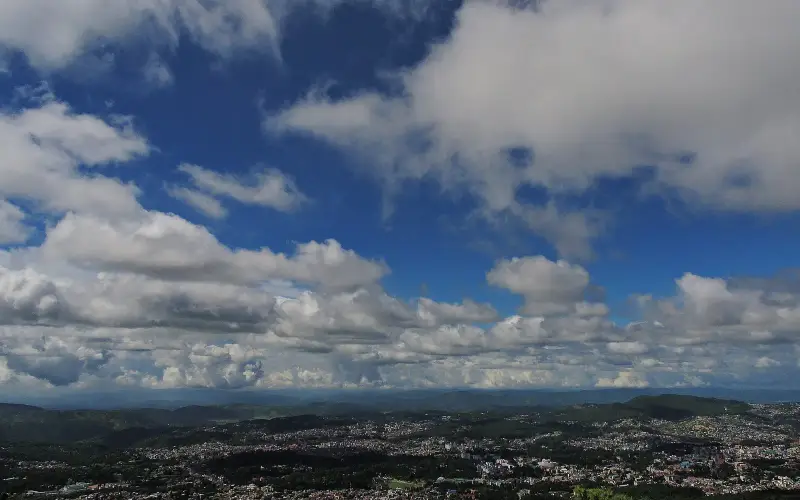
Plan a trip →East Khasi Hills district is an administrative district in the state of Meghalaya in India. The district headquarters are located at Shillong. The district occupies an area of 2,748 km2 and has a population of 825,922. As of 2011, it is the most populous of Meghalaya's 12 districts.
১০ মিনিটে আপনার ব্যবসা অনলাইনে
Just tell us your business name and type — your site is ready instantly. Add photos from your phone. No technical knowledge needed.
- Your own site: name-east-khasi-hills.mydistrict.in
- Bookings, menus or appointments
- WhatsApp, call and map buttons
- UPI payment details & QR poster
- Listed in the MyDistrict app
- Visitor and enquiry reports
আপনার জেলা আপনার পকেটে
Add MyDistrict to your home screen — it works like an app, even on slow networks. Business owners manage their site, bookings and enquiries from the same app.